
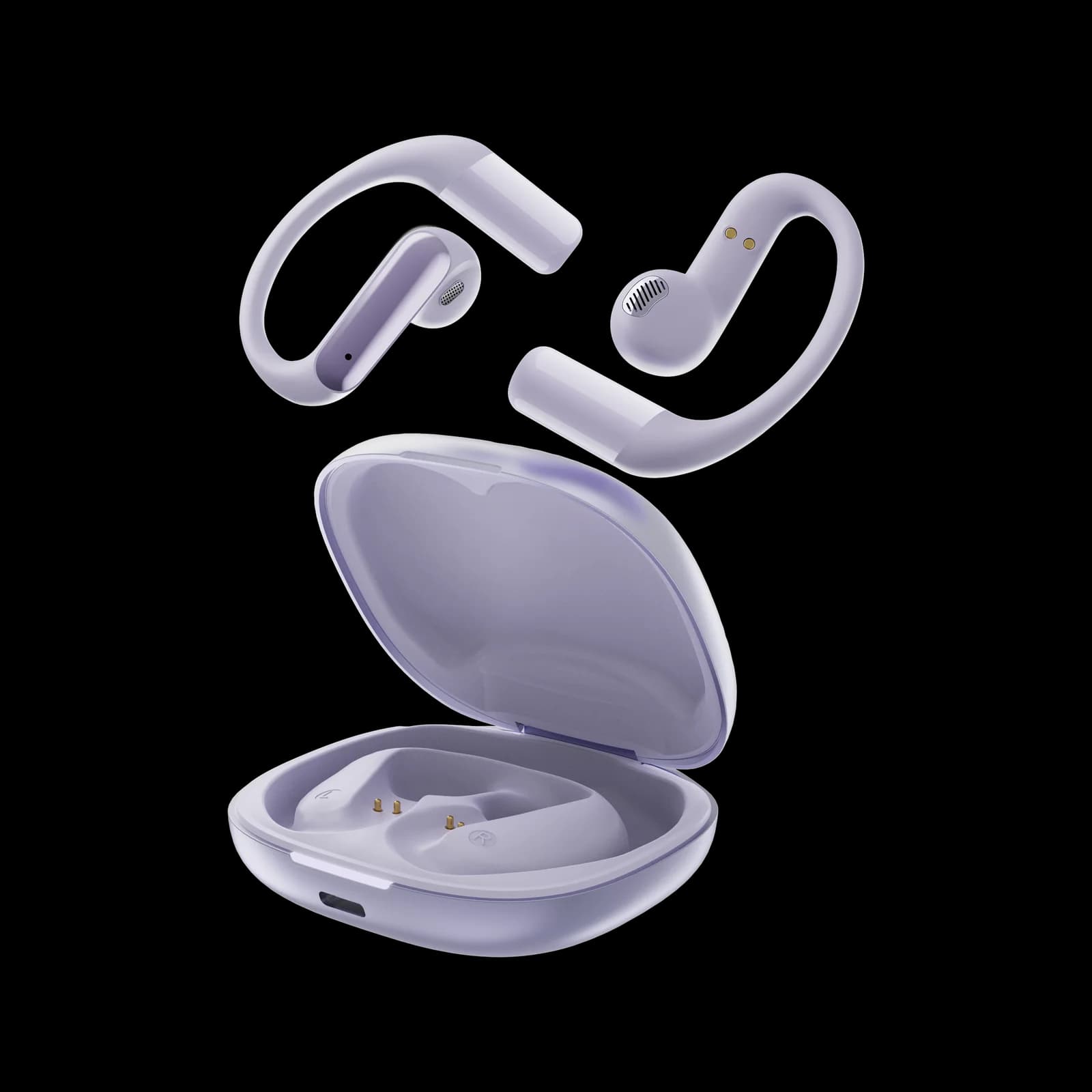
You take both buds out, put them in, and only the right one plays. The left one shows no light, or shows a light but no sound, or connects on its own under a second name in your Bluetooth list. Either way the immediate thought is that the speaker died.
Most of the time it did not.
Why one side can fail while the other is fine
In a true wireless pair, the two buds are not two independent headphones. They are one device with a private link between them. One bud connects to your phone; the other receives audio from the first. That relay is the fragile part, because it is a short-range radio link on the same crowded 2.4 GHz band as your Wi-Fi router, and it depends on the bud that is carrying it.
An explainer on this architecture lays out the chain in four steps: the primary bud wakes and enters pairing mode, the secondary syncs to it, the pair connects to your phone as a single device, and audio is relayed from primary to secondary. Break any one step and one side goes quiet while the other keeps playing — which is exactly what a "dead" bud looks like from the outside.
That framing changes the diagnosis. If the housing, the driver or the battery had failed, you would usually see nothing at all: no light, no response in the case, no charging indication. A bud that lights up but stays silent is more often a sync or contact problem than a hardware failure.
Symptom to cause, in the order you should check
What you see | Most likely cause | What to try first |
|---|---|---|
One bud silent, but its light works | Internal link dropped or the pairing table is stale | Full reset of both buds together, then re-pair |
One bud never charges | Dirty contact pin, or the bud is not seated properly | Clean the contacts, re-seat, watch for the charge light |
Both buds appear separately in Bluetooth | The pair split into two devices | Forget both, reset, pair once as a single unit |
Audio cuts in and out on one side | Interference, or a low battery in the bud carrying the relay | Move away from the router, charge both fully |
Quiet but present sound on one side | Blocked nozzle with wax or lint | Clean the mesh with a dry brush |
Buzz or crackle from one side only | Driver or amplifier fault | Warranty claim — this one does not reset away |
Two of those rows are worth dwelling on. The "never charges" case is far more common than people expect, because a bud that sits a millimetre off its pin will look fine in the case and be empty when you take it out. And the "quiet but present" case is not a fault at all: an ear canal full of wax on one side will make a perfectly good bud sound broken. If you have never cleaned the mesh, do that before you file a claim.
The reset that fixes most of it
Sequence matters, and the most common mistake is doing half of it.
Forget the pair on your phone. Not disconnect — forget. A stale record is the single most common reason a re-pair fails.
Put both buds in the case and close the lid. Leave them for a full minute so both sides power down completely.
Reset the buds using your model's button combination — usually a long press on the case button or on both touch areas until the lights flash. Check the manual rather than guessing, because the pattern differs.
Take both buds out at the same time. Some pairs will not complete the internal link if you remove one, use it, and then fetch the other.
Pair once, from the phone's Bluetooth list, choosing the single device name that appears — not a "left" or "right" entry.
Play a stereo test track and check both sides before you put them away.
If that does not fix it, the next honest step is to test the pair on a different phone. A bud that works on a second device is not broken; the problem is on your first device, usually in its Bluetooth stack or in a mono-audio accessibility setting. That test takes two minutes and saves a pointless return.
What actually indicates a hardware fault
The bud never lights up in the case, even after cleaning the contacts
The case shows a charge for one bud only, repeatedly, with both seated
A constant buzz or crackle that survives a reset and a different device
A driver that rattles at moderate volume but is fine when quiet
Those are warranty conversations, not troubleshooting. And this is where the buying decision matters more than the fix, because the return window is the only leverage you have. Our battery article covers the other half of this problem — pairs that charge fine but do not last — which is the same design area seen from a different angle.
Two things to check before you buy a pair
Do the buds work independently? Some pairs let either bud run alone; others require the primary. If you plan to use one bud at a time — for calls at work, say — ask before buying. We do not publish which architecture each of our models uses, so ask us directly rather than assuming from the Bluetooth version.
Does the case protect the contacts? A case that lets the buds sit loose will produce exactly the "one side never charges" symptom, every few weeks, forever. It is a cheap part of the product to get right and a common place to cut.
Our own entry in this category is the W12 clip, a 30 mAh bud in a 300 mAh case: small cells mean contact hygiene matters more, not less, because a bud that loses a charge has less margin to lose. If you take calls on one bud for hours, our workplace notes deal with what the microphone does in an office, which is the other thing that quietly fails on a single-bud setup.
The limitation of this advice
Everything above assumes a pair built on a relay. A few modern pairs connect each bud independently to the phone, and their failure modes look different — both buds show up separately, and a reset sometimes makes it worse. If your pair behaves that way, the sequence above still applies, but skipping step 1 is what gets you into trouble.
We also cannot tell you how long a failing bud has left. A bud that drops out under load is telling you something about its cell, and no reset fixes a cell.
Frequently asked questions
Why does only one earbud work?
Most often the internal link between the two buds has dropped, or the pair has a stale record on your phone. A full reset with both buds in the case, followed by forgetting and re-pairing on the phone, fixes the majority of cases.
Why is one earbud not charging?
Usually a dirty or misaligned contact pin in the case. Clean the pins and the bud's contact pad with a dry cloth, re-seat the bud, and watch for the charge indicator before assuming the cell is dead.
Can I use just one earbud permanently?
On some pairs, yes. On others, one bud is the primary and the other depends on it, so using the secondary alone will not work. Ask the seller which design you are buying if single-bud use matters to you.
Why do my earbuds show up twice in Bluetooth?
The pair has split into two separate devices, usually after an interrupted reset or a partial firmware update. Forget both entries, reset the buds together, and pair once.
Does a firmware update fix one-sided audio?
Sometimes — corrupted pairing data is exactly what an update clears. Check the manufacturer's app for a current version before you decide the hardware is at fault.
Sources
AudioGR, "Earbuds Connected Separately Instead of Together" — the four-step primary/secondary relay chain and where each step breaks: https://audiogr.com/earbuds-connected-separately-instead-of-together
Gadgetswireless, "How to Pair True Wireless Earbuds Together" — primary and secondary bud roles, and the requirement to remove both buds together: https://gadgetswireless.com/how-to-pair-true-wireless-earbuds-together-2
Editorial publication note: The troubleshooting sequence is general to true wireless pairs and is not a service procedure for any specific Nevoks model — check your own manual for the reset combination. W12 battery figures are manufacturer-rated. We make no claim about failure rates, and we do not publish which pairing architecture our models use.